Guide
How I Create Fiverr-Ready AI Images Using Structured Prompts
Generating impressive AI images is easy. Delivering them professionally to clients — consistently, on brief, without revision spirals — is a completely different skill. Here's my system.
Published May 5, 2026
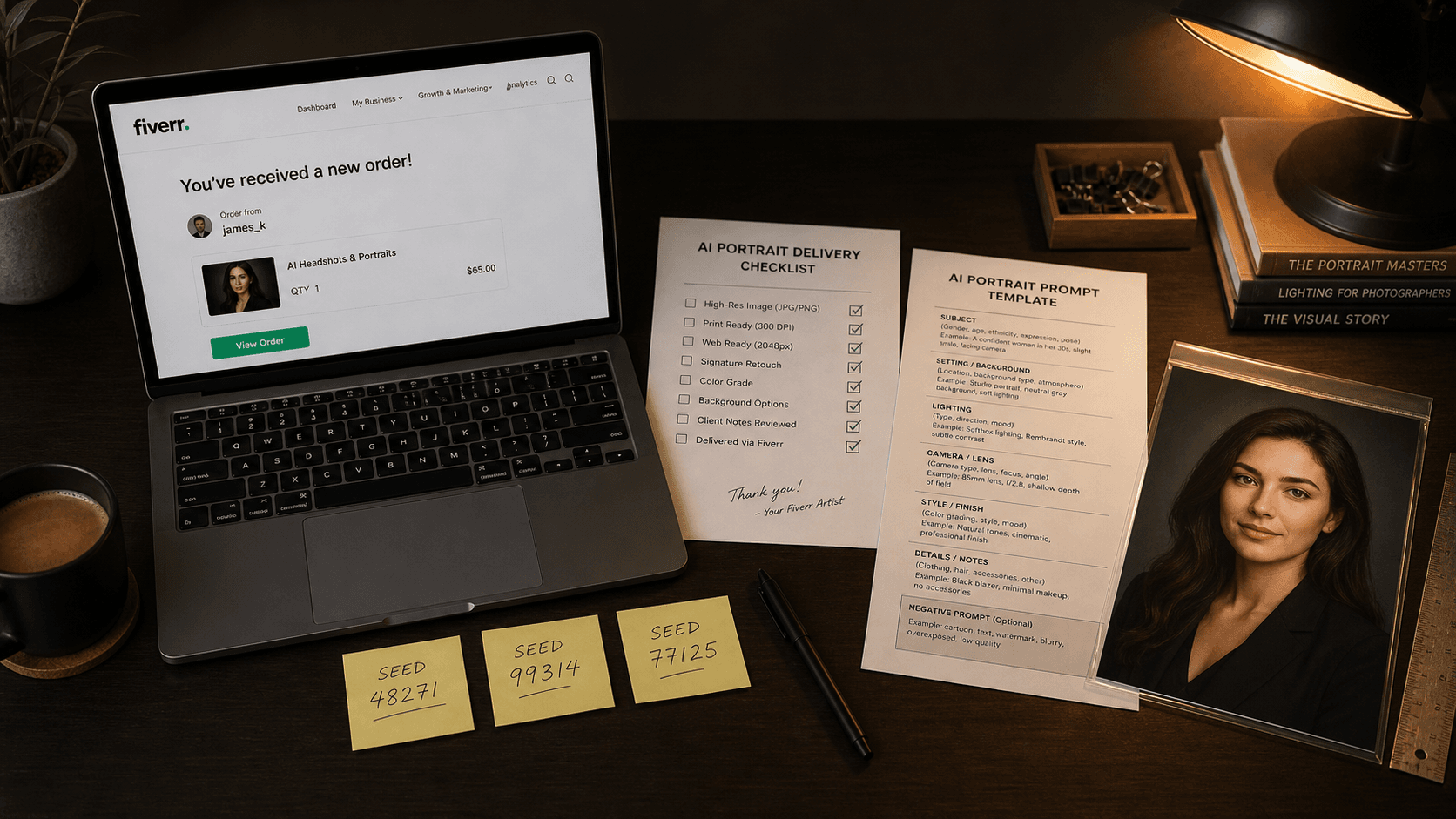
My third month on Fiverr doing AI portrait work, I had a five-star rating, a Level 1 badge, and a client who wanted twelve corporate headshots in a consistent visual style for her entire leadership team.
I said yes without blinking. I had done individual portraits, no problem.
Here is what actually happened: the first headshot was great. The second was close. By the fifth, the lighting had drifted, the background depth was different, and one subject had slightly different skin rendering than the others. The client noticed. She asked for revisions on seven out of twelve images. I burned an extra four hours and more Midjourney credits than the gig paid for, and the four-star review she left cost me six months of algorithmic Fiverr ranking.
That job taught me the difference between "being able to generate" and "being able to deliver." They are genuinely different skills. The first is about creative output. The second is about systems. Here is the system I built after that.
Why Unstructured Prompts Destroy Client Work
When you generate for yourself, inconsistency is fine — it is part of exploration. But client work has completely different requirements. The client approved an aesthetic in your portfolio sample. Your job is to reproduce that aesthetic reliably across every deliverable in the batch.
The core problem is that unstructured prompts have what I call drift surface — areas of the prompt that are underspecified enough for the model to make its own decisions. Those decisions vary between generations. A prompt like "professional portrait with dramatic lighting" has enormous drift surface across lighting angle, colour temperature, background depth, subject framing, and expression. The model fills those gaps differently every run.
Each layer of underspecification multiplies the variation. Five vague parameters give the model five independent axes to vary on — meaning even if each individual axis only drifts slightly, the compounded result across a batch can look like it came from five different photographers.
The fix is eliminating drift surface entirely for production work. Every visual parameter the client cares about needs to be explicitly specified in the prompt — not implied, not assumed, not left to the model's creative interpretation. This is fundamentally different from how most people learn to prompt, because most tutorials prioritise creative output over reproducibility.
My Fiverr Delivery System: Three Components
My current workflow has three components that work together: a Project Brief Template, a Master Prompt Architecture, and a Seed Registry. None of them are complicated individually. The value is using all three in sequence on every job.
Component 1: The Project Brief Template
Before I write a single prompt, I fill out a brief. This takes five minutes and saves hours. The template has six fields:
CLIENT: [Name / gig order ID] DELIVERABLE: [What exactly? e.g., "8 LinkedIn headshots, 4:5 ratio, 1080x1350px"] STYLE ANCHOR: [Reference image URL or description they approved] MUST INCLUDE: [Non-negotiable elements: specific attire, background colour, etc.] MUST AVOID: [Elements they explicitly rejected, or known client sensitivities] SEED TO LOCK: [Filled after first approved generation]
The style anchor field is critical. I ask every client to point to one image — from my portfolio, their inspiration folder, or a reference URL — that represents the look they want. That reference image becomes the objective standard I am engineering toward. Without it, "professional" and "polished" mean different things to every person.
Component 2: Master Prompt Architecture
Once the brief is filled, I build what I call the Master Prompt. This is a fully specified, six-layer prompt built from the brief's requirements — no layer left vague.
The six layers, in order: Subject, Subject Modifiers, Environment, Lighting, Camera/Optics, Style/Finish. I covered this architecture in depth in a previous guide, but the key thing for client work is that every layer needs to be concrete enough that another person could read the prompt and predict the image.
Here is what a first-pass exploration prompt looks like versus the locked production prompt I use after client approval:
Exploration prompt (moderate specificity, designed to show client options):
professional headshot of a South Asian woman in her 40s, dark blazer, confident expression, neutral studio background, soft studio lighting, 85mm portrait lens, commercial photography --ar 4:5 --style raw --c 15
Locked production prompt (full specification after client approves one output):
professional corporate headshot of a South Asian woman aged 42-45, dark navy structured blazer, subtle smile with closed mouth, direct camera gaze, neutral warm-grey seamless background, large octabox softbox from camera-right 45 degrees 5600K, soft butterfly shadow below nose, subtle specular on right cheekbone, no fill shadow on left side, 85mm f/2.8 medium depth of field, commercial editorial photography --ar 4:5 --style raw --c 0 --seed [approved_seed] --hd
Every difference between those two prompts represents a dimension where the model was previously making its own decisions. The exploration version has drift surface on background tone, lighting angle, shadow pattern, and depth of field. The production version has none. That is why the production version generates twelve consistent headshots where the exploration version generates twelve unique ones.
Component 3: The Seed Registry
The seed is the most underused professional tool in most AI freelancers' workflows. After the client approves a generation, I immediately retrieve the seed (using the ✉️ envelope reaction on Discord, or the job details on the web interface), record it in my brief template, and lock it into every subsequent generation in that batch.
My seed registry is a simple Notion database with five columns: Client Name, Gig Type, Seed Number, Model Version, and Date. Every client gets an entry. This means if a client returns six months later asking for "more in the same style," I can pull their exact seed and model version and regenerate in the same visual neighbourhood without starting from scratch.
One important operational note: seeds are version-specific. A seed from a Midjourney v7 generation will not reproduce the same result on v8.1. I document the model version alongside every seed without exception.
The Revision-Prevention Checklist
After the failed leadership team job, I built a pre-delivery checklist that I run through before sending any file to a client. Revisions are expensive — they cost credits, time, and ratings. Most of them are preventable.
Before marking any Fiverr order as delivered:
- All deliverables match the agreed aspect ratio and resolution
- Background colour/tone is consistent across the batch — no drift between images
- Lighting direction is consistent — shadows fall the same way in every image
- Colour temperature matches across the set — no image warmer or cooler than the rest
- Subject framing matches — crop height consistent at shoulders or bust
- No obvious AI artefacts — check eyes, teeth, ear geometry, and hairline
- All images exported at correct DPI for intended use (300 DPI for print, 72-96 for web)
- File naming matches what the client specified or uses clear sequential naming
The artefact check takes two minutes per image. Skipping it is how you deliver a portrait where one eye is slightly larger than the other to a client who will use it on a 40-inch conference room display.
Real-World Gotchas — My Personal Take
Different subjects require re-testing your locked prompt. A production prompt locked for one subject's skin tone and facial structure will not necessarily produce consistent results with a different subject, even with the same seed. I re-run a small exploration batch for each new subject before committing to the locked prompt for that individual. Takes fifteen minutes and prevents a lot of downstream corrections.
--style raw changes the colour grade enough that some clients find it "cold." Raw mode reduces Midjourney's aesthetic post-processing, which I prefer for accuracy — but some clients, particularly those requesting "warm and welcoming" brand photography, prefer the standard mode's more beautified output. I now include a note in my Fiverr gig FAQ explaining the difference and offering both options. Letting the client choose up front eliminates that as a revision trigger.
Fiverr's image upload compression can alter the perceived quality of your delivery. Always deliver via Fiverr's file attachment system rather than embedding images in messages, and always deliver at the original exported resolution. Compressed previews in the messaging interface look worse than the actual file — and I have had clients request revisions based on the preview quality before downloading the attachment.
The client's reference image matters more than your best prompt. I spent months trying to build "general purpose" production templates that would work for any client. The truth is that a well-chosen reference image plus a tight brief produces better results faster than any pre-built template. Ask for the reference first. Build from there.
Conclusion
The gap between generating AI images and running a professional AI art service is entirely a systems problem. Exploration mode thinking — iterate freely, pick the best result — is the opposite of what client work requires. Lock your parameters, protect your seeds, run the pre-delivery checklist, and treat every prompt as a reusable template rather than a one-off job. The AIPromptHub gallery documents tested production prompts with expected outputs — worth using as starting anchors for new gig categories before investing your own iteration time.