Guide
Midjourney Personalization --p Flag: Train Your Signature Style the Right Way
Midjourney's default outputs all look the same. The --p personalization flag trains the model on your aesthetic so every generation bends toward your style automatically
Published June 21, 2026
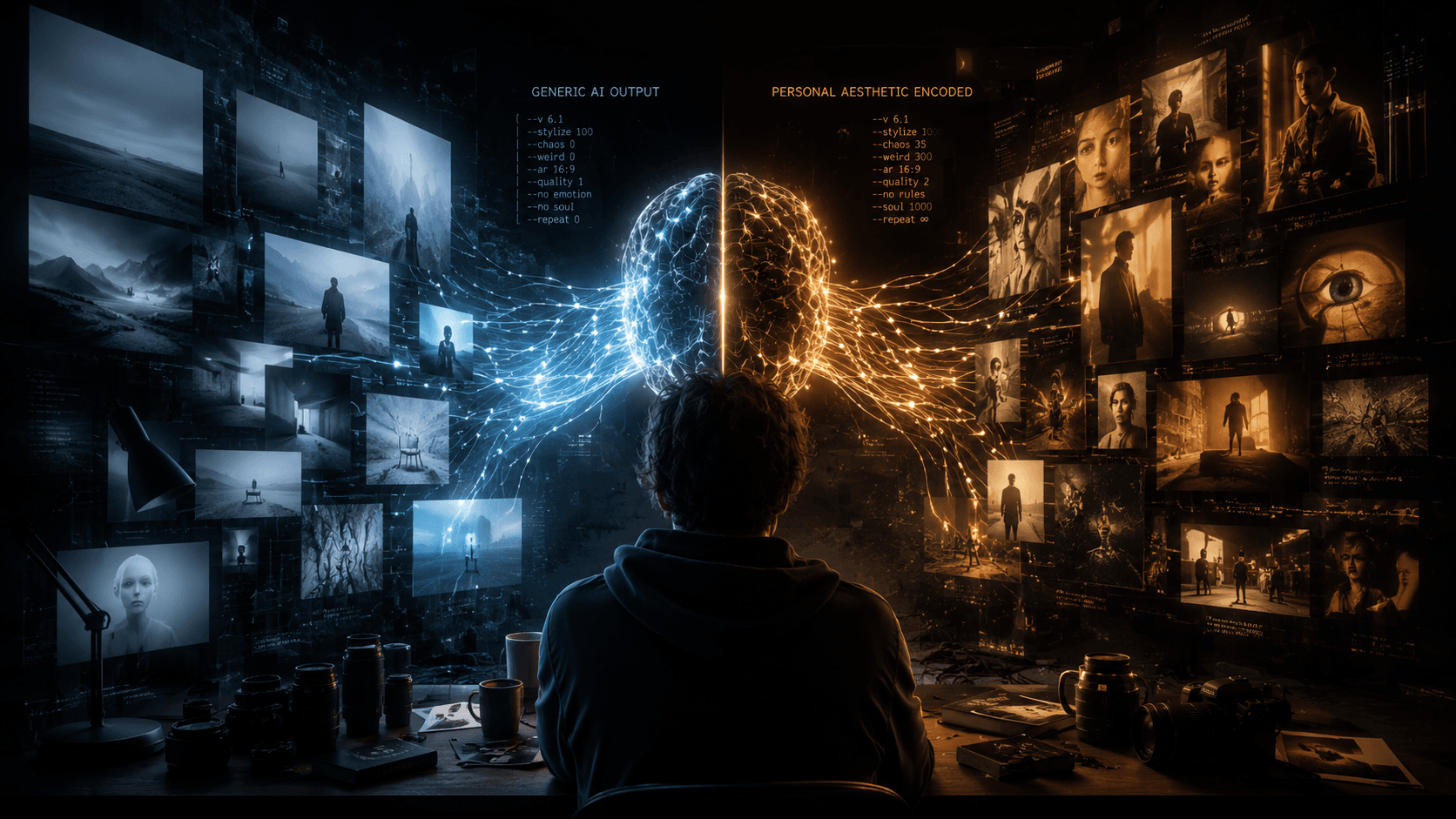
# How to Train and Use Midjourney Personalization (--p) to Build a Signature Style There was a point last year where I could tell — just from the thumbnail — whether an image came from Midjourney. That specific sheen. That particular way it renders faces. That compositional grammar that shows up whether you prompt a luxury car ad or a fantasy landscape. It's the base model's aesthetic fingerprint, and it's on basically every AI-generated image that hasn't been deliberately fought against. I was building a 35-image editorial set for a fashion client. Every prompt had a style block that was longer than the actual subject description: *cinematic, desaturated, grain, editorial, Helmut Newton-inspired, low contrast highlights, rolled-off shadows...* Even then, maybe 60% of generations landed in the right ballpark. The other 40% looked like someone else's Midjourney work. Then I spent two weeks properly training `--p`. That ratio flipped to roughly 85% on-aesthetic with no style block at all. Here's how the training actually works, and where most people waste their effort. ## Why Midjourney Generates "Generic" Without Style Training Understanding what the base model is actually doing here is worth a minute. Midjourney's model was trained on an enormous corpus of images — hundreds of millions of them, spanning commercial photography, concept art, illustrations, film stills, architecture renders. During training, the model learned to produce images that are statistically coherent with that entire dataset. It's essentially learning the weighted average of human aesthetic judgment across all of that visual data. That averaging is why unguided Midjourney looks the way it does: technically competent, aesthetically middle-of-the-road, recognizable as "AI." The model isn't biased toward *your* taste. It's biased toward the mean of everything. `--sref` (Style Reference) partially addresses this by conditioning a generation on a source image's visual style at inference time. But it's a per-prompt operation — you have to attach the reference URL every single time, and the model reads the style from the image rather than from any understanding of what *you* find compelling. Personalization is different. It modifies your **user-level generation profile** by learning your preferences from pairwise image comparisons. When you rank pairs of images — picking which one you find more visually interesting, repeatedly — the system builds a preference model specific to your account. That model gets applied by default whenever you use `--p`, steering the diffusion process toward outputs that match your learned aesthetic before any prompt text even comes into play. The underlying mechanism is similar to how recommendation systems work. Each ranking is a signal. The system fits a preference model to those signals. More signals → more accurate model. Which is exactly why the results are weak when you only rank 30 pairs and strong after 500+. ## How to Actually Train Your Personalization Profile ### Step 1: Get to the Ranking Interface Go to **midjourney.com**, log in, and find the ranking section (typically under your profile or at midjourney.com/rank). You'll be shown two images side by side. Click whichever one you find more aesthetically interesting — not "better" in some abstract sense, but more aligned with what you want your output to look like. That's it mechanically. The hard part is doing it right. ### Step 2: Rank with Intent, Not Speed Most people blow through rankings as fast as they can to hit the minimum threshold. This is the single biggest mistake and it produces a muddled, incoherent profile. The images you're shown span the full range of Midjourney's output — photography, illustration, abstract, concept art, portraits, landscapes. If you mindlessly click faster answers without a consistent aesthetic position, you're feeding the model contradictory signals. It genuinely cannot learn from "sometimes I like hyperrealistic photography, sometimes I like flat illustration, sometimes I like grungy street photography, and sometimes I like ethereal watercolors" if you're clicking all four in the same session. Before you start ranking, decide on your target aesthetic. Write it down if you have to: - *"I want cinematic, editorial, slightly desaturated, grain, real-world photography over illustration"* - *"I want bold graphic design aesthetics — flat color, strong silhouettes, typographic feel"* - *"I want dark fantasy concept art — dramatic lighting, texture-heavy, painterly"* Then rank *from that position*, consistently, every session. Treat it like a filter, not a preference quiz. **Minimum viable training:** 200 ranked pairs before `--p` has enough signal to do much. Noticeable aesthetic shaping starts around 400–500 pairs. A strong, reliable profile takes 1,000+. Yes, this is a real time investment. ### Step 3: Use Your Personalization Shortcode After sufficient training, Midjourney generates a **personalization shortcode** — a unique alphanumeric string that encodes your preference profile. You'll find it in your profile settings on midjourney.com. The basic usage: ``` ❌ Without Personalization (base model default, generic output): a portrait of a woman in soft natural light, film photography style --ar 3:4 --v 6.1 ``` ``` ✅ With Personalization Active (steers toward your trained aesthetic): a portrait of a woman in soft natural light, film photography style --p --ar 3:4 --v 6.1 ``` You can also use your shortcode explicitly, which lets you share your aesthetic with collaborators or clients: ``` ✅ Using Explicit Shortcode (shareable, accountable): a portrait of a woman in soft natural light, film photography style --p [your-shortcode] --ar 3:4 --v 6.1 ``` And if you want to combine personalization with a style reference image — which is honestly the power move for client work — you can stack both: ``` ✅ Personalization + Style Reference (stacked conditioning): editorial fashion portrait, minimalist studio --p --sref [URL] --ar 3:4 --style raw --v 6.1 ``` The `--sref` handles the per-shoot visual direction. The `--p` adds your underlying taste layer on top. Together, you stop fighting the base model on two fronts simultaneously. ### Step 4: Adjust Personalization Strength You're not stuck at full personalization intensity. Midjourney lets you dial the influence of your profile using a strength value: ``` low personalization influence (taste hint, not override): --p --psw 25 moderate influence (good default for most prompts): --p --psw 50 heavy influence (your aesthetic dominates the output): --p --psw 100 ``` For prompts where the subject needs to stay precise — technical product shots, specific character work, architectural renders — I keep `--psw` around 25–40. For atmospheric or editorial work where I have creative latitude, I push it to 75–100. ### Real-World Gotchas / My Personal Take Here's where I'll save you the frustration of learning these the hard way: **Your profile is cumulative, not session-based.** Every ranking you do adds to the same profile. There's no "undo" for individual rankings. If you go through a phase of ranking a completely different aesthetic — maybe you were helping a friend or testing something — that signal is now in your model. It dilutes over time as you rank more in your primary direction, but it doesn't disappear fast. Be intentional from session one. **The "narrow genre trap" is real.** If 80% of your rankings are portraits and 20% are everything else, your profile gets very good at steering portrait aesthetics and has weak signal for everything else. If your work spans multiple genres — editorial, product, landscape — spread your rankings proportionally. A landscape generated with `--p` will pull toward portrait aesthetics if that's all you ever ranked. **`--p` and `--style raw` don't always agree.** `--style raw` reduces Midjourney's own aesthetic processing to let your prompts through more literally. `--p` adds your preference layer on top of the base model. These can create an interesting tension — sometimes they reinforce each other, sometimes the raw mode strips out some of what your personalization is trying to add. Test both combinations for your specific aesthetic and see which output lands better. **Shortcodes are not permanent identity.** If you keep ranking images, your shortcode profile continues to evolve. A shortcode you share with a client today will produce slightly different results six months from now if you've been actively ranking throughout. If you need a frozen style for a long-term client engagement, document exactly what outputs you generated and note your shortcode at that point in time. **The ranking UI shows you Midjourney's full output range** — some of those pairs will be genuinely ugly, and some will be outside your genre entirely. You still have to pick one. Pick based on which is *less far* from your aesthetic, not which one you'd actually use. Abstaining from ranking doesn't help your profile. ## Wrapping Up Personalization isn't a one-afternoon feature — it pays back the investment you put into training it. A strong `--p` profile means you can write shorter prompts, spend less time fighting style drift, and deliver more consistent work to clients without a 200-word style block duct-taped to every generation. The training is tedious, but it's a fixed cost that compounds across every project after it. Rank with intention, stay in your lane aesthetically, and combine it with `--sref` for project-level direction. That's the actual workflow.