Guide
Why AI Prompts Work Once Then Fail — Seed, Chaos & Variation Explained
Your prompt nailed it once, then never again. This isn't random — seed, chaos, and variation parameters control it. Here's exactly how each one works.
Published May 4, 2026
About four months into running my Fiverr prompt engineering service, I got a message that became a recurring nightmare. A client had seen a sample generation I posted in my portfolio — a cinematic male portrait with this specific golden-orange bokeh background and very precise shadow geometry. They wanted twelve more in that exact same visual language.
I pulled up the prompt. Ran it again. The generation was... fine. Competent. But the light was different, the composition had shifted slightly, the background had warmed into something almost amber rather than orange. The client would have noticed immediately.
I had not saved the seed. I did not even fully understand what seeds did at the time.
That session cost me two hours of re-prompting and a partial refund. After that, I spent serious time understanding exactly how Midjourney generates variation — not the surface-level "add --seed to repeat results" explanation, but the actual mechanics. Here is everything I wish I had known.
Why the Same Prompt Gives Different Results Every Time
The short answer is noise. The longer answer explains why that matters.
Midjourney's image generation is a diffusion process. Every generation starts from a field of pure random noise — essentially a unique matrix of random pixel values — and the model progressively "denoises" it, guided by your prompt tokens, until a coherent image emerges. The starting noise matrix is called the seed.
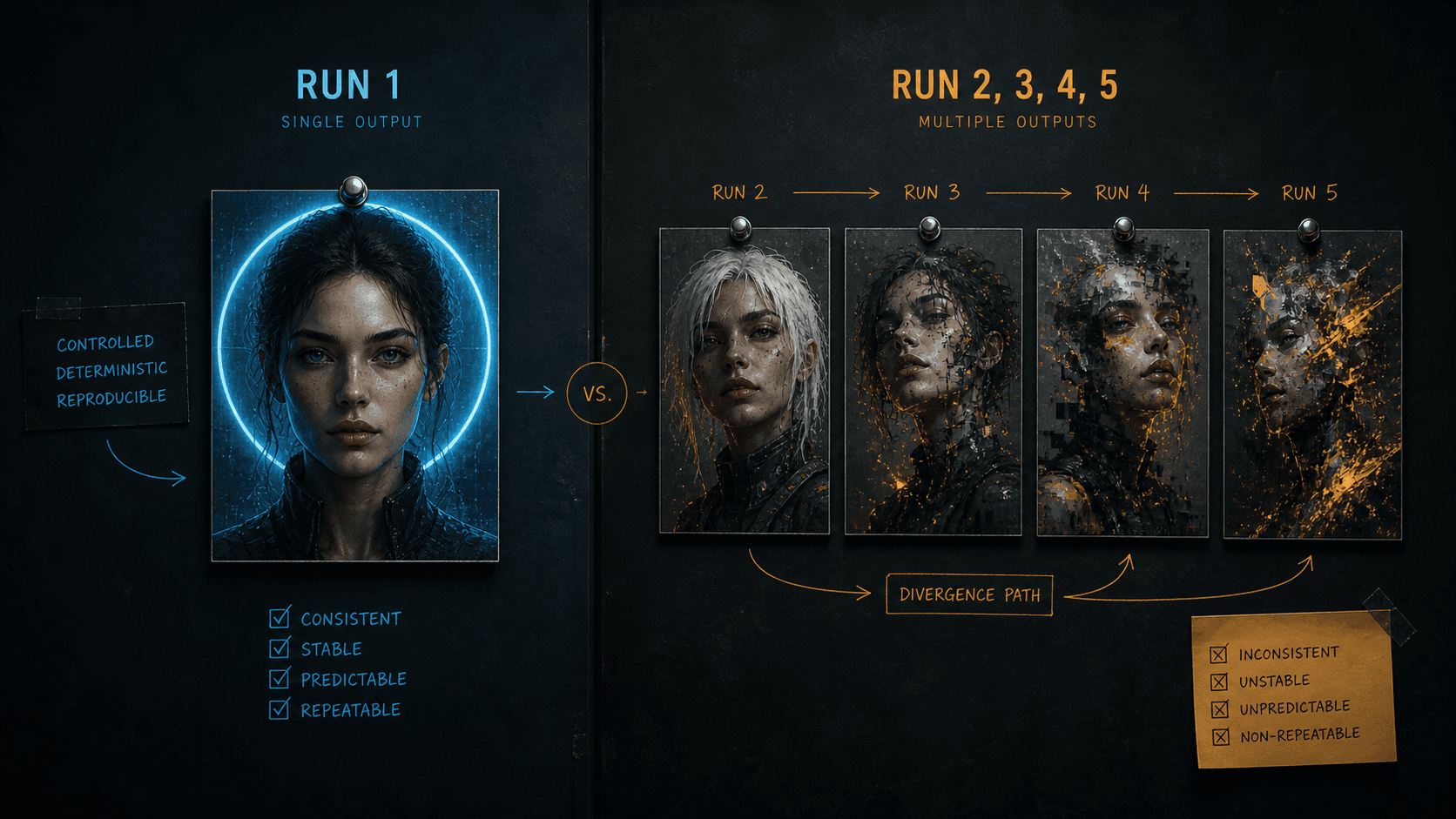
By default, Midjourney generates a completely random seed for every job. At the default setting, Midjourney creates four images based on your prompt with each run producing different results because a new random seed is assigned each time. This is why two identical prompts generate different images. They started from different noise matrices. The prompt is consistent; the starting point is not. Aitooldiscovery
Here is the part that trips most people up: your prompt does not fully determine the output. It constrains the solution space. The seed determines which specific solution within that space gets rendered. A tight, highly specific prompt makes the solution space small — there are fewer valid interpretations. A vague prompt makes it enormous. But in both cases, the seed is selecting from within whatever space the prompt defines.
This is the mechanical reason why adding more descriptive words to a vague prompt helps — it narrows the solution space so the random seed has fewer directions to wander. But no amount of prompt precision eliminates the seed's influence entirely.
Understanding Chaos: Controlled vs. Uncontrolled Variation
Chaos is the parameter most misunderstood by people who have read a surface-level guide about it. The official definition is accurate but undersells what is actually happening.
The --chaos parameter influences how varied the initial image grid is. High chaos values produce more unusual and unexpected results and compositions. Lower chaos values have more reliable, repeatable results. The default chaos value is 0, and it can go as high as 100.
But here is what the docs do not explain clearly: chaos does not just add randomness. It controls how far the model is allowed to diverge from its most central interpretation of your prompt when generating the four grid images.
Increasing the chaos value nudges the four variations of a generation away from the default harmonious "centre" and towards four distinct directions. At chaos 0, all four grid images are closely related — same composition, similar colour, minor surface variation. At chaos 50, the images differ significantly and Midjourney no longer adheres as closely to the prompt in favour of artistic freedom. At chaos 75, you can no longer reliably deduce the original prompt from the four outputs. MidjourneyBlake Crosley
The practical implication: if you run a prompt with default chaos (0) and get one great result out of four, re-running will likely give you four results in the same neighbourhood. Your good result was not an outlier — the model was exploring a small radius around its central interpretation. But if you ran at --chaos 50 and got one perfect result, that result may have been a lucky reach into a much wider solution space that the model will almost never revisit.
The Seed + Chaos Interaction Nobody Talks About
There is one genuinely counterintuitive behaviour I confirmed through my own testing that matches what community researchers have found. When you lock a seed and add chaos, the chaos seems to add order to the variations rather than pure randomness. The four images become systematically different — pushed away from the centre point in distinct directions — rather than scattered randomly across the solution space. Pixels to Plans
In practical terms: seed-locked + moderate chaos gives you deliberate variation within a recognisable visual frame. Seed-unlocked + high chaos gives you random variation that may never be reproducible. These are completely different tools that look superficially similar.
The Exact Workflow for Reproducibility
Step 1: Retrieve and Save Your Seed
Every Midjourney generation has a seed. By default it is invisible. To retrieve it:
On Discord: React to any generated image with the ✉️ (envelope) emoji. Midjourney sends you a DM with the job details including the seed number.
On the web interface: Click the "..." menu on any generation and select "Copy → Job ID." The seed is retrievable from the job details panel.
Save this immediately after any generation you want to reproduce. I keep a simple Notion table: prompt, seed, model version, aspect ratio, generation date.
Step 2: Lock the Seed in Your Prompt
Add --seed [number] to the end of your prompt, before other parameters:
Prompt that produces a different result every run (no seed):
close-up portrait of a South Asian man, dark structured blazer, single key light from camera-left at 45 degrees, deep orange seamless background, 85mm f/1.8, photorealistic --ar 4:5 --style raw
Same prompt with seed locked — reproduces the same starting noise matrix:
close-up portrait of a South Asian man, dark structured blazer, single key light from camera-left at 45 degrees, deep orange seamless background, 85mm f/1.8, photorealistic --ar 4:5 --style raw --seed 3847291
With the seed locked, re-running this prompt on the same model version will produce an extremely similar output. Not pixel-identical — the model still has minor generation variance — but close enough for client approval on a series.
Step 3: Set Chaos Deliberately, Not by Default
Stop leaving chaos at its default value and assuming that means "stable." Default is 0, which is stable — but you should be setting it explicitly so you know exactly what variation budget you are working with.
For client work where you need reliability across a grid — product mockups, brand assets, or any deliverable where consistency matters — use --c 0. For subtle variation within a consistent concept, use --c 10 to --c 20. For exploration and moodboarding, use --c 30 to --c 50. AI:PRODUCTIVITY
Production-ready portrait prompt with all stability parameters explicit:
close-up portrait of a South Asian man aged 38, natural skin texture visible pores, dark navy structured blazer, direct camera gaze, single key light camera-left 45 degrees warm 3200K no fill, deep orange seamless background, 85mm f/1.8 shallow depth, photorealistic commercial photography --ar 4:5 --style raw --seed 3847291 --c 0 --hd
Same prompt in exploration mode — finding variations before committing:
close-up portrait of a South Asian man aged 38, natural skin texture visible pores, dark navy structured blazer, direct camera gaze, single key light camera-left 45 degrees warm 3200K no fill, deep orange seamless background, 85mm f/1.8 shallow depth, photorealistic commercial photography --ar 4:5 --style raw --c 40 --hd
Run the exploration version first. When one of the four grid outputs hits what you want, retrieve that seed, lock it, drop chaos to 0, and that becomes your production template.
Step 4: Control the Variation Buttons
The V1–V4 variation buttons in the Midjourney interface generate new versions of a specific grid image. What most people do not realise is that each variation button adds noise back into the image and re-denoises from a nearby starting point — it is not just shuffling surface details.
Using "Vary (Strong)" introduces a large noise perturbation. The result shares compositional DNA with the original but diverges significantly. "Vary (Subtle)" introduces a small perturbation. The result changes minor details — colour tone, background texture, micro-expressions — while preserving the overall structure.
For client work, I almost always use Vary (Subtle) from a seed-locked, low-chaos base. It lets me offer a client several closely related versions without losing the visual identity that made the original work.
Real-World Gotchas — My Personal Take
Seeds are model-version specific. A seed that reproduces a result on v7 will produce a completely different image on v8.1, because the underlying noise denoising architecture changed between versions. Always document the model version alongside the seed — --seed 3847291 --v 7 is not the same as --seed 3847291. I have wasted real time trying to reproduce a v7 generation using v8.1 before I learned this.
--weird is fundamentally incompatible with seeds. The same seed combined with the same weird value produces different results across runs. Weird cannot be reproduced reliably. If you need any level of reproducibility, do not use --weird. It is a pure exploration tool. Pixels to Plans
Chaos above 50 actively overrides your prompt at unpredictable points. At higher chaos values, Midjourney ignores larger parts of the prompt in favour of artistic freedom. I have seen --c 70 generations completely drop a specified background colour or ignore an explicit lighting direction because the model was exploring far enough from the prompt's centre point that those constraints fell outside the variation it was generating. If your outputs at high chaos are not respecting key prompt elements, the chaos value is the reason. Blake Crosley
Web interface vs. Discord generates differently even with the same seed. There are subtle infrastructure differences between the two interfaces. Seed-locked prompts run on Discord versus the web app occasionally produce noticeably different outputs. Pick one interface per project and stick to it.
Conclusion
Every unpredictable Midjourney result comes down to one of three things: an unknown seed, uncontrolled chaos, or an unlocked variation that introduced too much noise. Retrieve seeds immediately after any generation worth keeping, set chaos intentionally based on whether you are in exploration or production mode, and use Vary (Subtle) rather than Vary (Strong) when you need controlled iteration around a working result. The AIPromptHub gallery documents the parameters used for each prompt alongside expected outputs — useful as a reference for building a seed-and-chaos discipline into your own workflow.