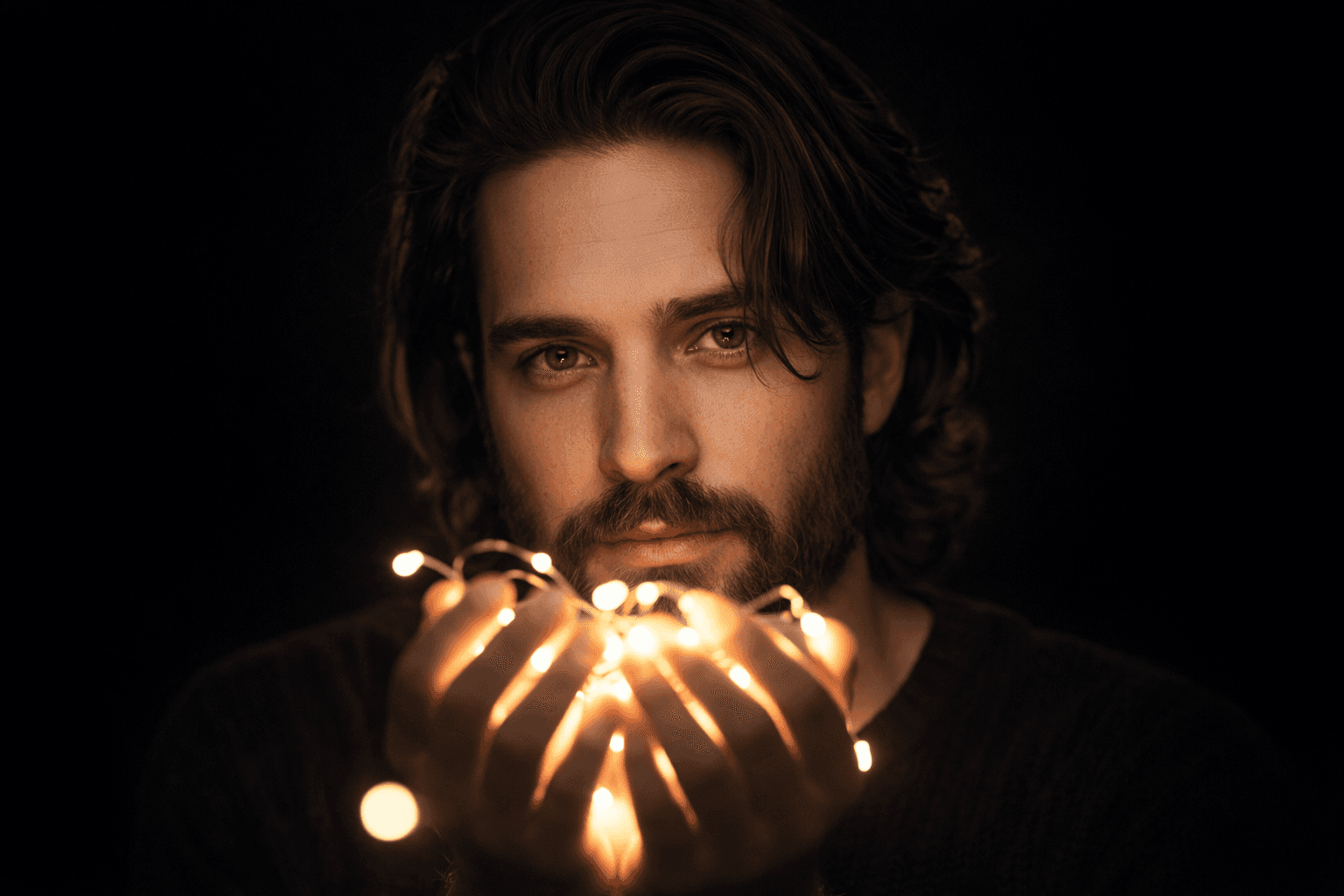
AI Portrait Prompt With Face Reference and Chiaroscuro Studio Lighting
This cinematic AI portrait prompt with face reference delivers a 4K studio output — warm chiaroscuro glow, void-black contrast, identity-preserved skin detail — that consistently outperforms generic portrait presets
Tags
Prompt
Expected Output
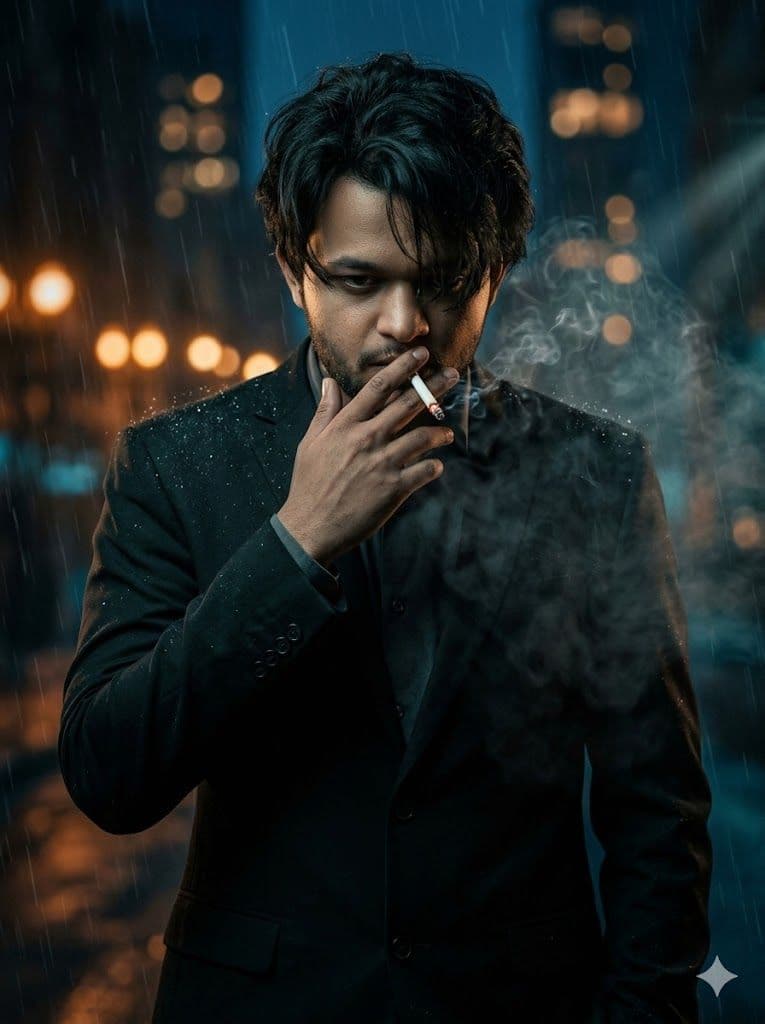
The generated image presents a high-fidelity male portrait illuminated by warm white handheld lights, casting soft directional light across facial contours against a pure void-black studio background. Fine hair strands fall naturally across one eye, adding layered depth and partial concealment. The shadow-to-light transition is gradual and photographic, rooted in classical chiaroscuro contrast — shadow filling the neck and jaw while warm highlights trace the cheekbone and brow. Technically, the prompt targets identity preservation rendering, keeping skin micro-texture, fine pores, and underlying bone structure consistent rather than flattening them into the over-smoothed, plastic quality common in standard AI portrait generation. Shallow depth of field (bokeh) keeps background elements softly diffused while eye and hair-strand sharpness remain razor-precise — the hallmark of a high-end cinematic AI portrait lighting workflow. Ideal for portrait photographers building AI concept mockups, indie filmmakers generating character reference art. The moody studio portrait output translates directly into print-ready assets or social-format crops without additional retouching.
- Dramatic chiaroscuro contrast pushes the subject from a void-black void with cinematic precision
- Warm bokeh halo around the hands and face creates an ethereal, intimate depth-of-field atmosphere
- Identity-preservation logic maintains accurate facial geometry and bone structure without AI smoothing artifacts
- Cinematic color grading balances warm highlight tones against clean, crush-black shadow zones
- Skin micro-texture rendering preserves natural pores and subtle surface variation — no plastic-skin effect
- Versatile base composition scales from tight social-format crops to full fine-art portrait prints without reframing loss
Parameters & Variables
| Variable Token | Meaning | Examples | Effect |
|---|---|---|---|
| REFERENCE IMAGE / SUBJECT | : The face reference photo used to anchor all identity-preservation logic | Studio headshotpassport-style photo3/4 angle portraitcandid lit photo | Swapping to a different reference shifts all facial geometry, skin tone, and proportional matching while retaining the lighting and mood architecture. |
| LIGHT COLOR / TEMPERATURE | Controls the hue and warmth of the handheld light source near the face | golden amber candlelightcool blue neonwarm white | Changing light temperature shifts the entire emotional palette — warm tones read as dreamy and intimate; cool tones produce isolated, colder psychological tension. |
| MOOD DESCRIPTOR | The emotional atmosphere and psychological tone of the scene | melancholiceuphoricanxiousserene | Adjusting the mood keyword influences implied facial expression rendering, shadow depth, and the AI's overall compositional weighting toward intimacy vs. tension. |
| HAIR POSITION / STYLE | How hair falls across the face and interacts with light and shadow | loose strands over one eyeswept backcurly and voluminous | Hair positioning changes the degree of facial concealment and mystery — partially obscured eyes dramatically increase atmospheric tension and viewer engagement. |
| --ar (Midjourney aspect ratio flag) | Output image dimensions and compositional framing | --ar 2:3 (portrait print)--ar 9:16 (mobile/Stories)--ar 1:1 (square)--ar 3:4 | — |
Pro Tips / Best Practices
- 🎛️ Customize It: Swap "warm white glowing lights" for "cool blue neon wand" or "single amber candle" to trigger entirely different skin tone rendering behavior. Each color temperature creates a distinct emotional register — the AI interprets warm light as intimate and safe; cool light reads as clinical or eerie.
- 🔁 Iterate Fast: In Midjourney v6, pair this prompt with --cref [your reference URL] and start at --cw 75 for moderate identity adherence. Push --cw 100 for maximum face-locking, or drop to --cw 50 if you want the AI to interpret the reference loosely while preserving the chiaroscuro lighting structure.
- 📐 Aspect Ratio Guide: Use --ar 2:3 for portrait print production (scales cleanly to 4×6, 8×12) and --ar 9:16 for Instagram Reels covers or vertical mobile wallpapers. Avoid 1:1 square — it crops the hands and light source, severing the compositional tension that makes this prompt distinctive.
- 🎨 Style Pairing: fter generation, apply a subtle film grain overlay (10–18% in Lightroom or Photoshop). The crushed blacks in the output leave clean, noiseless shadow zones that accept grain texture without degrading skin detail — producing an analog-film quality finish that elevates the image for print or editorial use.
- 💡 Workflow Tip: For multi-image series with consistent facial identity (lookbooks, character sheets, client concept packs), load this prompt as the base node in a ComfyUI IP-Adapter workflow. Lock the face embedding and iterate only on the [MOOD DESCRIPTOR] and [LIGHT COLOR] tokens to generate a cohesive portrait collection across varied emotional states without rebuilding the scene from scratch.